Founder Playbook
Your quiz collects answers and nothing happens
 Neha3 min read
A format preference can shape an assistant, product page, app and next-order default. Make that reuse visible, and let the customer change or clear the choice.
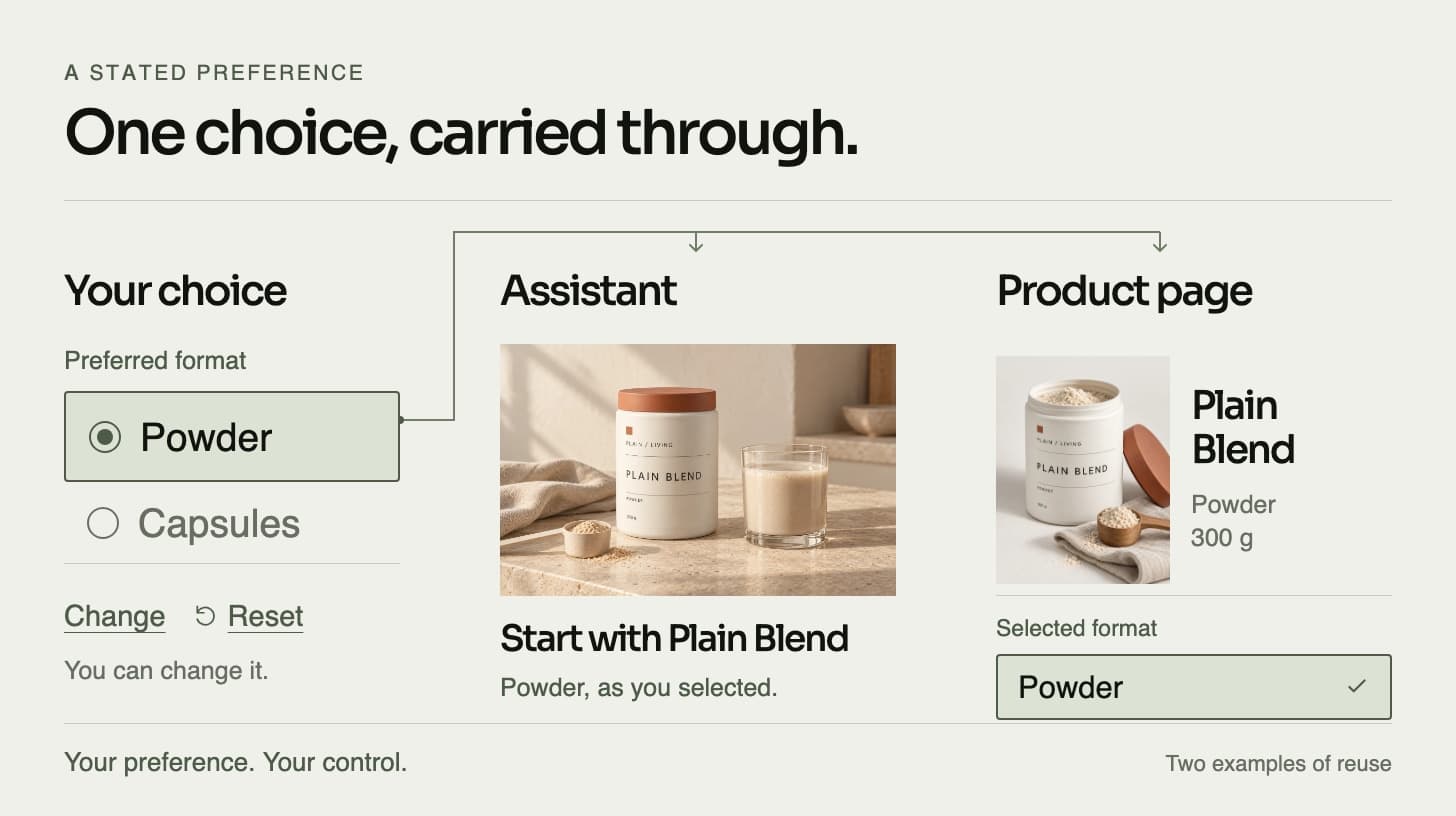
You ask a customer which product format they prefer. They choose Powder. The next useful question belongs to the store: which part of the shopping experience will use that answer?
A result page may be enough for a single visit. If the purpose is to carry a preference into later decisions, name those decisions before adding more questions. Otherwise the capture can work perfectly while the intended experience remains unbuilt.
Give one answer a visible job
Start with a choice the customer can state directly, such as Powder, Capsules or Liquid. Show what that choice controls. In The Preference Loop, the selected format points to one of three distinct PLAIN / LIVING products.
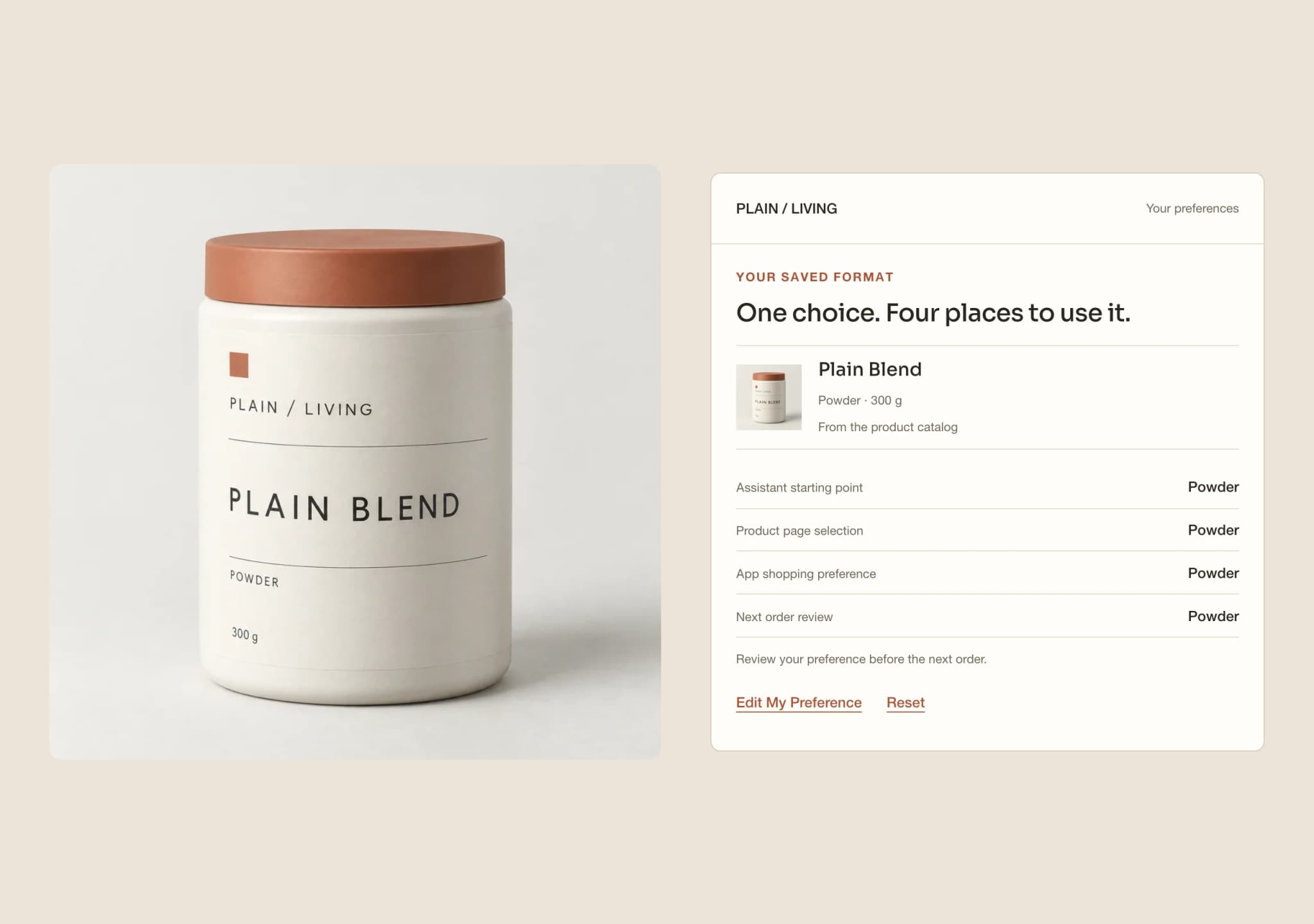
The assistant opens from that product. The product page shows the matching format and pack. The app keeps it as a shopping preference. The next-order view carries it as a default for review. All four read the same saved choice.
That is the behavior being demonstrated, not a claim that every store needs all four surfaces. A business with one relevant destination can start there. The useful scope is the smallest path where the customer can see the answer being used.
Keep the choice separate from assumptions
Choosing a format does not tell the store why the customer prefers it. It does not establish a health need, a dose, a consumption rate or a remaining supply estimate. Different products also retain their own format and pack facts.
The Preference Loop therefore asks no health questions and changes no supply arithmetic. A saved Capsules preference points to Daily Essentials; it does not convert Plain Blend into capsules or imply that either product suits a particular condition.
Keep the next-order boundary equally clear. A preference can set a starting point without adding to a basket or placing an order. The customer reviews the default and confirms the choice locally; the concept submits nothing.
Make the record editable
Show the saved preference, where it came from and where it is used. Then provide a direct way to edit or clear it.
An edit should not quietly change the active record before the customer saves. In this concept, all four surfaces continue using the previous saved format while a different choice is still a draft. Discard restores the saved selection. Saving a change updates the four surfaces and clears the previous next-order confirmation.
These transitions are worth reviewing alongside the first successful selection. A system that remembers a preference also needs an understandable way to stop using it.
Decide where it belongs in production
The local experience clears on reload. It does not save a profile, write to email or CRM software, or share data between real sites and apps. Its four surfaces make the intended dependency visible within one page.
A production implementation would need an agreed storage location, customer access and deletion controls, and integrations with the actual destinations. An existing quiz or commerce tool may already provide part of that path. Check what it supports before deciding what to build.
The work is to connect a specific answer to a specific use and keep the customer in control of it. Start with one preference, define its destinations and verify the edit and reset paths. Scope the effort from those requirements instead of promising a universal delivery time.
What would this look like for your brand?
Talk directly with a founder about one customer journey, the systems behind it and a focused prototype using your approved products and content.