Concept Walkthroughs
Give a saved preference somewhere to go
 Ratik3 min read
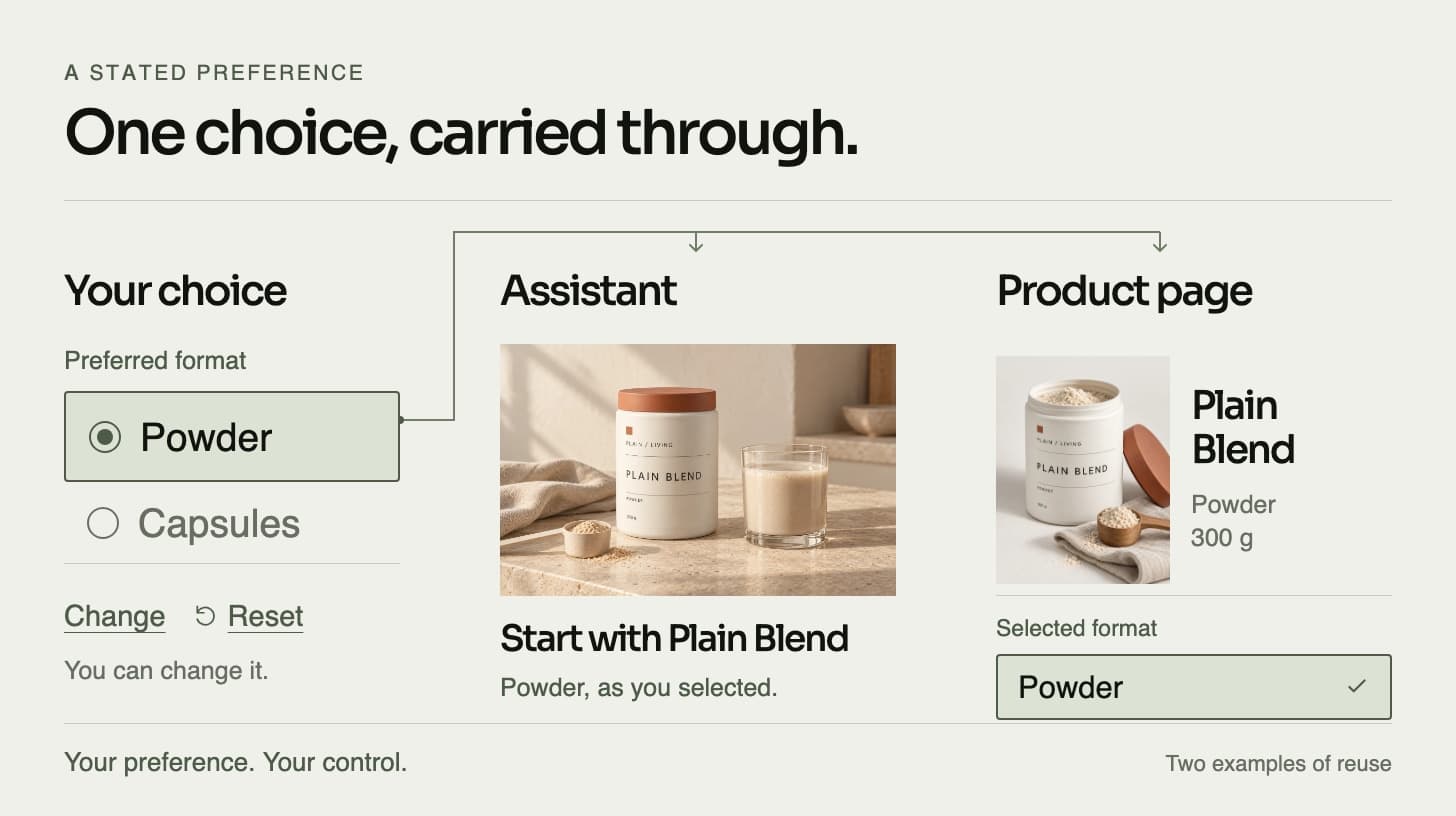
Save a product-format choice, inspect how four shopping surfaces reuse it and change or clear it. A next-order default still needs your confirmation.
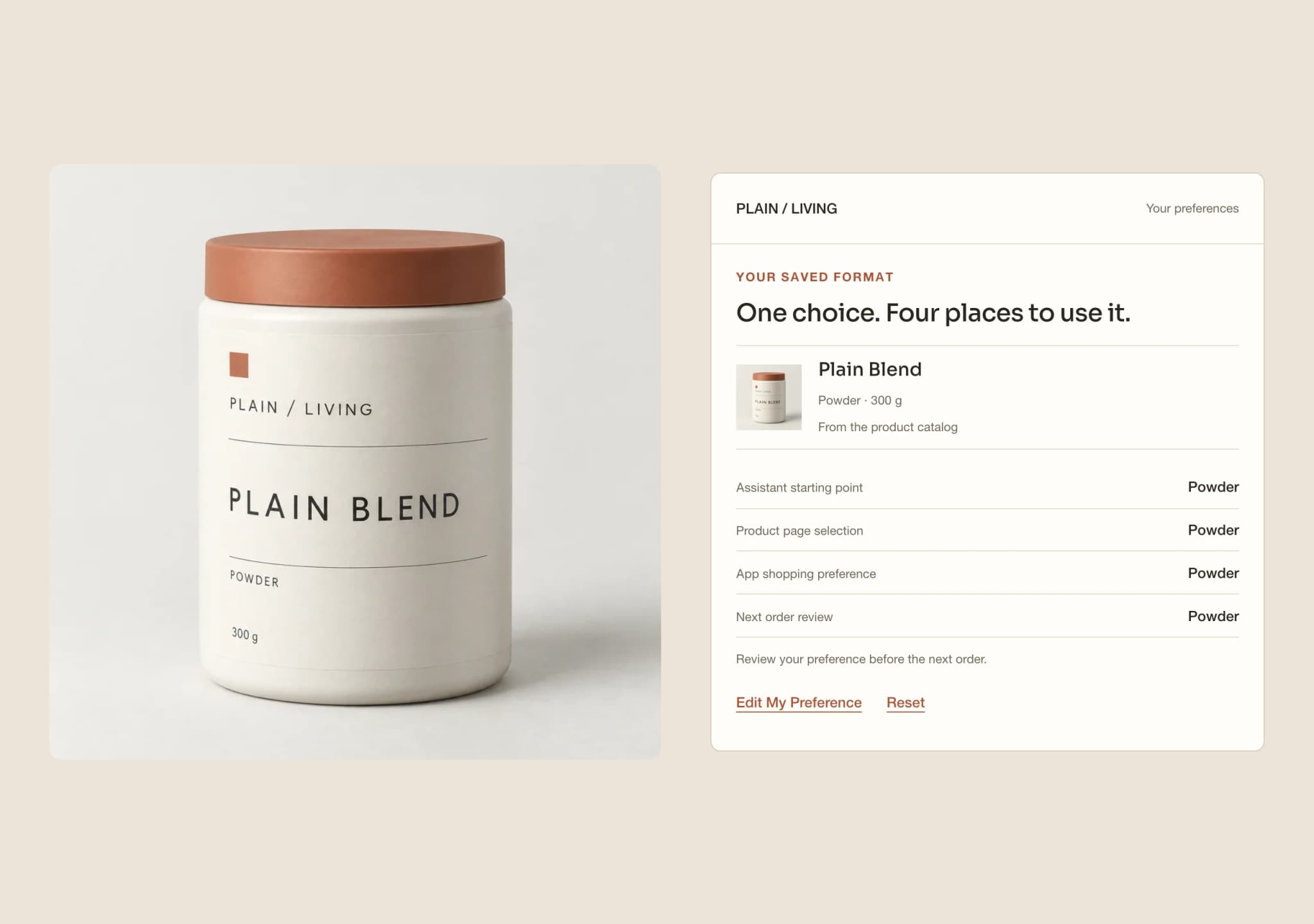
A preference becomes useful when something visible uses it. The Preference Loop follows one explicit format choice from capture into four shopping surfaces, then gives the customer a place to inspect and change it.
The experience uses the authored PLAIN / LIVING catalog. It starts empty and keeps its state on this page. It does not read a customer profile or send a preference to an assistant, store, app or account.
Save a choice, not an inference
Choose Powder, Capsules or Liquid. Each format points to a distinct catalog product: Plain Blend in a 300 g canister, Daily Essentials in a bottle of 60 capsules, or Mineral Drops in a 30 ml bottle. These are separate products, not interchangeable variants of one product.
The choice remains a draft until Save My Preference. There is no health question, symptom profile or inferred reason for the selection. A format preference does not establish suitability, a usage rate or how long a pack will last.
Follow the saved choice through four surfaces
The assistant uses the saved product as its starting point. The product page shows the selected format and its matching catalog product. The app carries the same product into its shopping preference. The next-order view offers it as a default to review.
Each view reads the same saved value. Changing chapters does not recalculate a recommendation or guess a different preference. Before anything is saved, each surface stays empty rather than inventing a customer choice.
This is a local illustration of data moving between interfaces. No live AI, remote storefront, installed app or order system is connected. The purpose is to make the relationship inspectable before considering those integrations.
Review the next-order default
A default is a proposed starting point. It does not authorize a purchase. Confirm This Preference records a local confirmation for the displayed choice and states that no order has been placed.
The experience has no basket, checkout, payment or order submission. A production order would require its own current product availability, quantity, price, delivery choices and explicit customer approval.
Edit without changing the saved record early
Control shows the saved format, its source as the customer’s explicit choice and the four places that use it. Edit My Preference opens a draft. Choosing another format leaves the saved surfaces and any previous local confirmation unchanged until Save My Preference.
Discard My Changes restores the saved selection. Saving a different format updates all four surfaces together and clears confirmation of the previous choice. The next-order view then needs a new review. Saving the same value does not create a new preference change.
Start Again clears the choice, draft and confirmation and returns to Capture. Reload also starts empty. There is no browser storage, email segment or CRM write to remove separately.
What this demonstrates
The Preference Loop demonstrates explicit capture, consistent reuse and visible customer control. Its completion event marks a changed saved preference once per project visit, not a purchase, a completed profile or a measured business result.
A production version would need a deliberate persistence policy, an authorized place to keep the choice, defined consumers and a way to propagate corrections or deletion. Those decisions are separate from this page’s temporary state. The related articles explain how to choose a useful first preference and make that behavior reviewable in a focused prototype.
What would this look like for your brand?
Talk directly with a founder about one customer journey, the systems behind it and a focused prototype using your approved products and content.